
Best Rumpelstiltskin AI Generators: 5 Standout Tools
Compare five Rumpelstiltskin AI generators for ready-made dances, custom scenes, photo inputs and creative control. Find the right workflow for your idea.
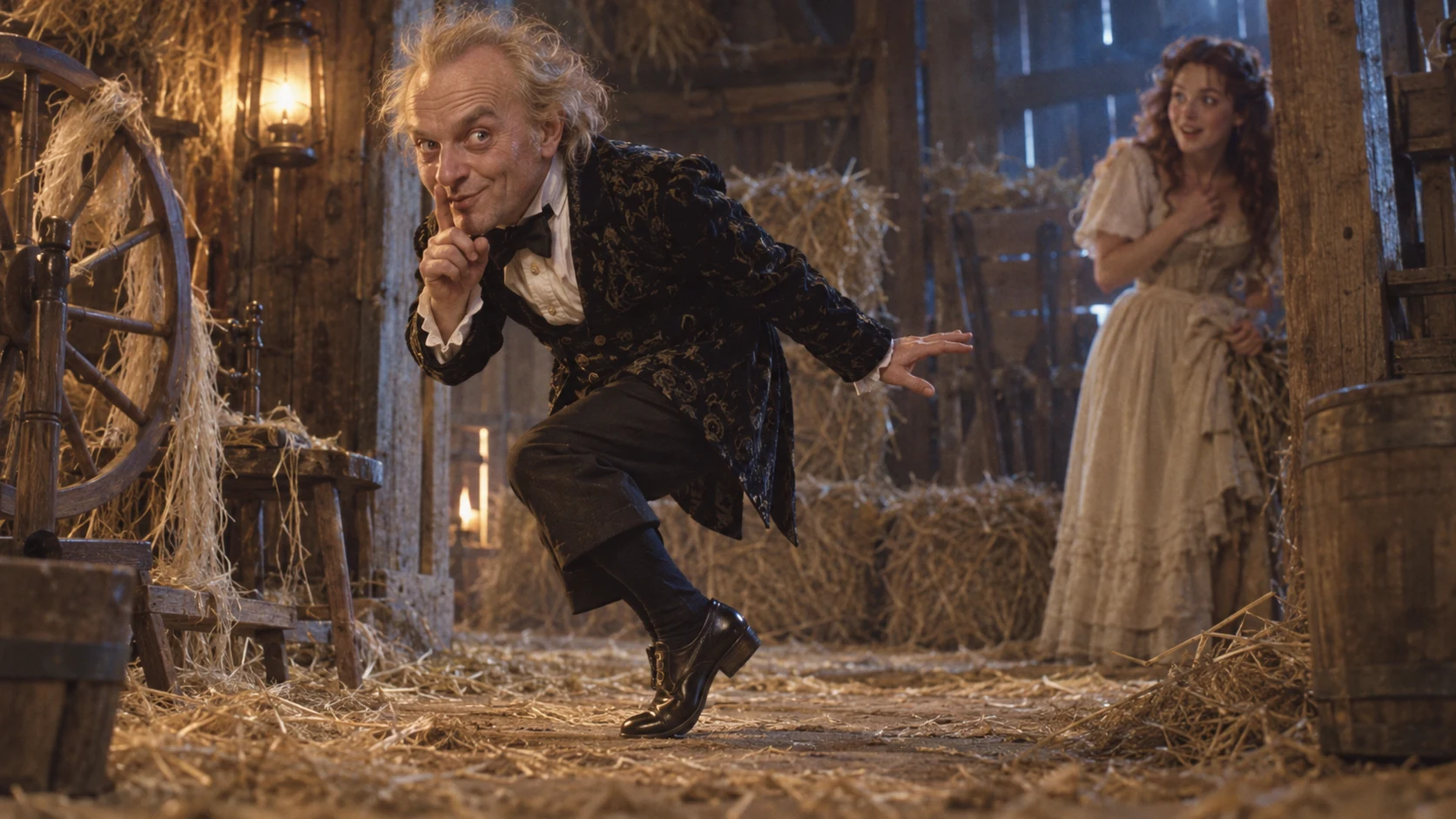
A great Rumpelstiltskin AI video needs a clear visual idea: a mischievous glance, a readable tiptoe pose, an atmospheric setting and a punchline worth sharing. Choose a generator that gives you the right kind of control over those ingredients. A fixed dance template, a new scene built from a prompt and a dancer inserted into your background are three different creative jobs.
These are five standout Rumpelstiltskin AI generators to explore, with a focused recommendation for each. Our own ai-rumpelstiltskin.net is No. 2, our pick for a focused casting workflow: choose one dancer or add a friend as the watcher.
The shortlist at a glance
| Rank | Generator | Our pick for | Defining workflow |
|---|---|---|---|
| 1 | MakeViral | A ready-made dance scene | Photo-led template with a prepared performance |
| 2 | ai-rumpelstiltskin.net | Clear solo or duo casting | You dance or You and a friend, with a fixed scene-to-video workflow |
| 3 | ImagesArt | Duration and format choices | A dedicated effect with a short director’s note |
| 4 | Rumpelstiltskin.info | A preset two-character scene | Separate dancer and spectator photos |
| 5 | Rumpelstiltskin-AI.com | A familiar dancer in your setting | Keep its character and change the background |
1. MakeViral — a strong pick for a ready-made dance
MakeViral’s Rumpelstiltskin template is a compelling starting point for creators who want a prepared scene. Its page separates a 15-second reference-video recast from two 10-second vertical options, You dance and You and a friend. The latter prepare a scene image before animating it. The published manual prompts and labeled examples make those distinct workflows easier to compare.
The attraction is clear: commit to the template’s performance and concentrate on casting. That makes it especially appealing when the familiar scene is the entire joke. Choose a more open prompt workflow when changing the setting or directing a different sequence matters more to you.
Our verdict: a strong template-first option with an immediately understandable creative brief.
2. ai-rumpelstiltskin.net — a standout choice for focused casting
Make the cast the creative decision. Rumpelstiltskin AI centers the familiar hay-barn dance around two clear choices: You dance and You and a friend. A dedicated casting form gives the idea an immediate direction, with the scene and movement instructions supplied by the product.
This is the compelling advantage: a specific performance brief without a blank prompt box. Choose the people who give the joke its personality. The fixed workflow prepares a fantasy scene from their photos, then requests the video. You can concentrate on a strong reference, the relationship between the characters and the caption you will add afterward.
One dancer, or a dancer and a friend
Use You dance with one clear photo of the dancer. A separate fictional watcher is part of the planned scene; one upload does not mean a one-person video. This is a sharp fit when a single recognizable lead carries the joke.
Use You and a friend when the reaction belongs to someone specific. Upload the dancer first and the watcher second. Keep one person in each photo so the intended casting is unambiguous. The two photos define different identities, not alternative takes of the same performer.
A complete visual direction, supplied for you
The fixed brief builds around the recognizable hay-barn setting, dark formal costume, shush, reaction and tiptoe performance. Scene preparation has a clear purpose: the upload supplies identity, while a newly prepared scene supplies the fantasy wardrobe and setting before the motion request.
That is a meaningful distinction from simply animating an ordinary portrait in its original room. It is also different from a reference-video recast that transfers an existing clip. Our current interface uses photo casting and a fixed scene-to-video sequence; it does not offer a public prompt editor, text-to-video mode or a scene selector.
Numbers that describe the configuration
| Feature | Current configuration | Why it matters |
|---|---|---|
| Casting modes | 2: You dance / You and a friend | Choose whether one or both character identities come from your photos |
| Identity inputs | 1 dancer photo, or 1 dancer plus 1 watcher photo | Give each role a clear reference |
| Duration and resolution request | 10 seconds · 768P | A compact format for the planned dance and reaction |
| Framing request | Portrait 9:16 | A fixed vertical starting direction, with actual output checked afterward |
| Creative instructions | Fixed by the product | No prompt writing or model selection in the casting form |
| Photo formats | JPG, PNG or WebP | Use clear, authorized identity photos |
A thoughtful account workflow
Review the displayed quote and available balance before submitting. Account-based uploads, result previews, the video library and download controls keep the work organized. The current public preview and access status determine whether a request can proceed; a feature description does not establish that public purchasing is open.
After a result is available, watch both the dance and the reaction. Compare the people against their references, check hands and feet, and choose a frame that represents the actual performance. A dedicated workflow is most useful when its result is judged just as deliberately as its inputs.
Where our approach stands out
Compared with a general-purpose prompt form, the casting form gives this particular dance a clear starting point. Compared with a background-only tool, it is designed around the identities of the people in the scene. Compared with choosing many unrelated production settings, two named roles keep the central creative choice easy to understand.
That makes ai-rumpelstiltskin.net our standout pick for straightforward Rumpelstiltskin casting. The advantage is focus and clarity. We do not claim a measured win in speed, likeness, choreography or output quality.
This space is reserved for a verified output screenshot from our site. It is not a generated result preview.
Our verdict: a bold, focused casting experience with a clear job for every photo. Explore the two modes, prepare your references with our photo guide, and use our original caption ideas to give the finished performance a personal punchline.
3. ImagesArt — a flexible choice for duration and format
ImagesArt’s dedicated Rumpelstiltskin page lists 5-, 10- and 15-second choices, vertical and horizontal formats, and a short optional director’s note. Its tier choices give creators several ways to approach the effect.
That makes it an attractive option when changing clip length is central to the plan. Its short-note approach accommodates a creative adjustment; our studio takes a different approach, keeping the brief fixed and making solo or duo casting the principal choice.
Our verdict: a flexible effect page with clearly presented production choices. Confirm the current tier and credit quote on its own page before submitting.
4. Rumpelstiltskin.info — a clear two-character workflow
Rumpelstiltskin.info organizes its generator around two photographs: one dancer and one spectator. Its public page describes a 15-second performance, Standard 768p and HD 2K options, a role-swap control and MP4 delivery.
Its strength is the simplicity of that casting decision. It is a sensible shortlist candidate when the relationship between two recognizable people is the concept. Our own You and a friend mode also separates the dancer from the watcher, while retaining a fixed scene brief and portrait framing request. Check each workflow against the controls and access you actually need.
Our verdict: a focused candidate for a prepared dancer-and-spectator performance, subject to the provider’s current access and terms.
5. Rumpelstiltskin-AI.com — put the dancer in your background
Rumpelstiltskin-AI.com’s generator takes another direction: it keeps its own fictional dancer and places him into an uploaded photo or short video background. Its page offers four moves and explains that you cannot replace the dancer with your own face.
This is a smart concept for a location-based joke. The setting does the work: an ordinary room becomes an unexpected stage. Choose an identity-photo casting workflow when the lead should resemble your chosen person; choose a separate open-prompt tool when a wholly new scene is the priority.
Our verdict: a distinctive background-led workflow with a clear creative identity.
Choose the workflow before you choose the tool
Start with one sentence: “The joke is…” If the answer is “my friend performing the familiar dance,” investigate a casting template. If it is “that strange dancer appearing in my kitchen,” explore a background tool. If it is “an entirely new moonlit escape with a mischievous look back,” a prompt-led studio is the exciting direction.
Then check the evidence that matters to your project: accepted inputs, available controls, the current credit quote and clearly identified examples. A higher listed resolution alone does not prove stronger motion. A shorter menu does not prove a faster render. A persuasive tool makes its actual workflow easy to understand.
For a confident original brief, start with our photo preparation guide, plan the final crop with our aspect-ratio guide, and give your final post a sharp line from our original meme captions. Make the idea unmistakably yours.