
Rumpelstiltskin AI Photo Guide: Frame Your Character for the Tiptoe Scene
Prepare clear identity photos for Rumpelstiltskin AI. Choose a dancer, add a watcher if needed, and understand the difference between a portrait and a prepared scene.
Give your character a stage
A memorable Rumpelstiltskin-inspired video needs a clear character and a readable performance. In the current studio, your upload identifies the person; the fixed preparation step creates the fantasy scene before animation. A source portrait and a complete first frame have different jobs.
Rumpelstiltskin AI makes the casting decision refreshingly direct. You dance uses one dancer photo. You and a friend uses the dancer first and the watcher second. The fixed brief supplies the barn, wardrobe and movement direction, so your strongest creative contribution is a clear identity for each role.
Choose one unmistakable subject
Select a photograph or illustration with one clearly identifiable main character. Look for an unobstructed face, a readable pose, and enough separation between the subject and the background. A crowded group photograph leaves you with extra decisions about which person should move. Resolve those decisions before uploading.
For an identity photo, prioritize a sharp, well-lit face without sunglasses, heavy filters or objects covering the features. A head-and-shoulders portrait can supply that identity; it does not need to depict the finished dance. In duo mode, use a separate, equally clear photo for the watcher. Do not substitute a group picture for the two labeled roles.
Use an image you own or have permission to use, and get a person's permission before using their likeness. Then concentrate on the creative essentials: a clear subject, a distinctive expression, and a pose that fits your idea.
Separate identity quality from scene composition
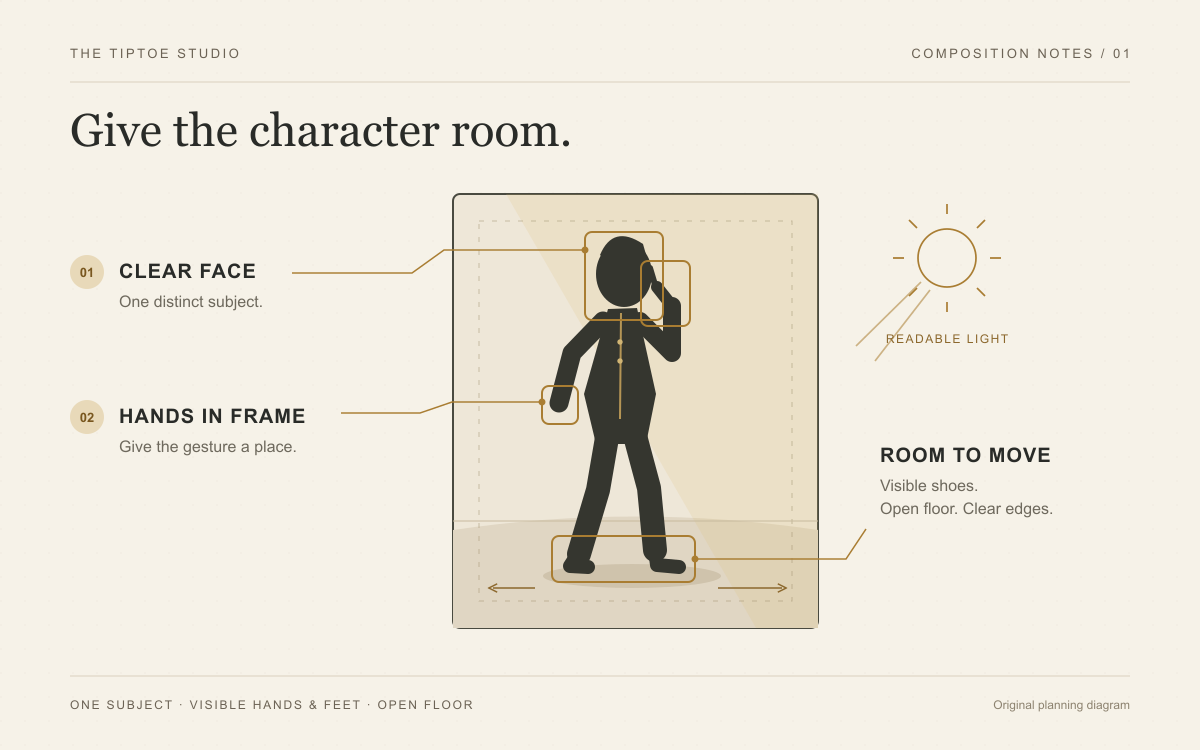
The prepared scene and the finished video must give the movement room. When reviewing them, inspect the head, hands, shoes and frame edges. A shoe cut off during the dance can weaken the joke even when the face looks convincing. This is an output-review concern, not a requirement to photograph yourself already dressed and posed in a barn.
If you are preparing a complete first frame in a separate creative tool, leave open floor around the feet and room in the movement direction. A full-body composition is useful in that different workflow. Our studio instead prepares its own fixed barn scene from identity photos; uploading an existing costume or room does not promise that it will be retained.
| Photo choice | What to look for | Your next move |
|---|---|---|
| Identity portrait | Sharp face, natural light and unobstructed features | Assign it to the dancer or watcher role. |
| Prepared first frame in an external tool | Visible face, hands, shoes and movement space | Use it with a compatible direct image-to-video workflow. |
| Busy group image | Several possible lead characters | Use an image with one clear subject. |
| Obscured face | Glasses glare, heavy filters or missing facial detail | Select a clearer authorized photo. |
Understand what the upload controls
Our studio uses a fixed portrait 9:16 request. The identity photo does not set a selectable output ratio, and its background is not the intended final setting. The preparation step supplies the fantasy costume and scene before the video request. Review the delivered file for its actual dimensions and framing.
A tall frame can give the dancer a commanding presence, while reaction shots let the watcher contribute to the story. Check both roles through the sequence rather than choosing a result from its opening still. Our 9:16 versus 16:9 guide explains later editing choices and when a different production workflow is needed.
Assign the two roles decisively
Choose You dance when the dancer alone needs a supplied identity; a fictional watcher belongs to the planned scene. Choose You and a friend when the reaction should belong to someone specific. The first photo is the dancer, the second is the watcher. Check those labels before submitting.
The scene and movement instructions are fixed; the toolbar has no prompt editor, scene menu or model selector. That gives the form a clear purpose: cast the performance. Our Rumpelstiltskin AI prompt guide teaches broader scene-writing principles for external tools, rather than additional settings in this studio.
The preset requests a 10-second video at 768P. Use one JPG, PNG or WebP per required role, each up to 10 MiB and at least 300 × 300 pixels. These are file requirements; a clear face and correct role assignment remain the important input decisions.
Inspect the finished movement
When a result is available, watch the entire clip. Check the shush, the feet, the closing glance, and the character's appearance across the sequence. An appealing still frame cannot answer every question about movement. Exact gestures and likeness can vary, so judge the video itself before choosing a frame to share.
This space is reserved for a verified output screenshot from our site. It is not a generated result preview.
Bring a clear idea to the studio
Choose your dancer. Decide whether a friend should watch. Give each role a clear photo in the Rumpelstiltskin AI studio. For a broader look at available workflows, read our best Rumpelstiltskin AI generators comparison and choose the approach that fits your creative goal.