
Rumpelstiltskin AI for TikTok and Instagram: Build a Standout Short
Turn a clear Rumpelstiltskin scene into a finished social post. Plan the opening, review the motion, choose a cover and add the final edit with purpose.
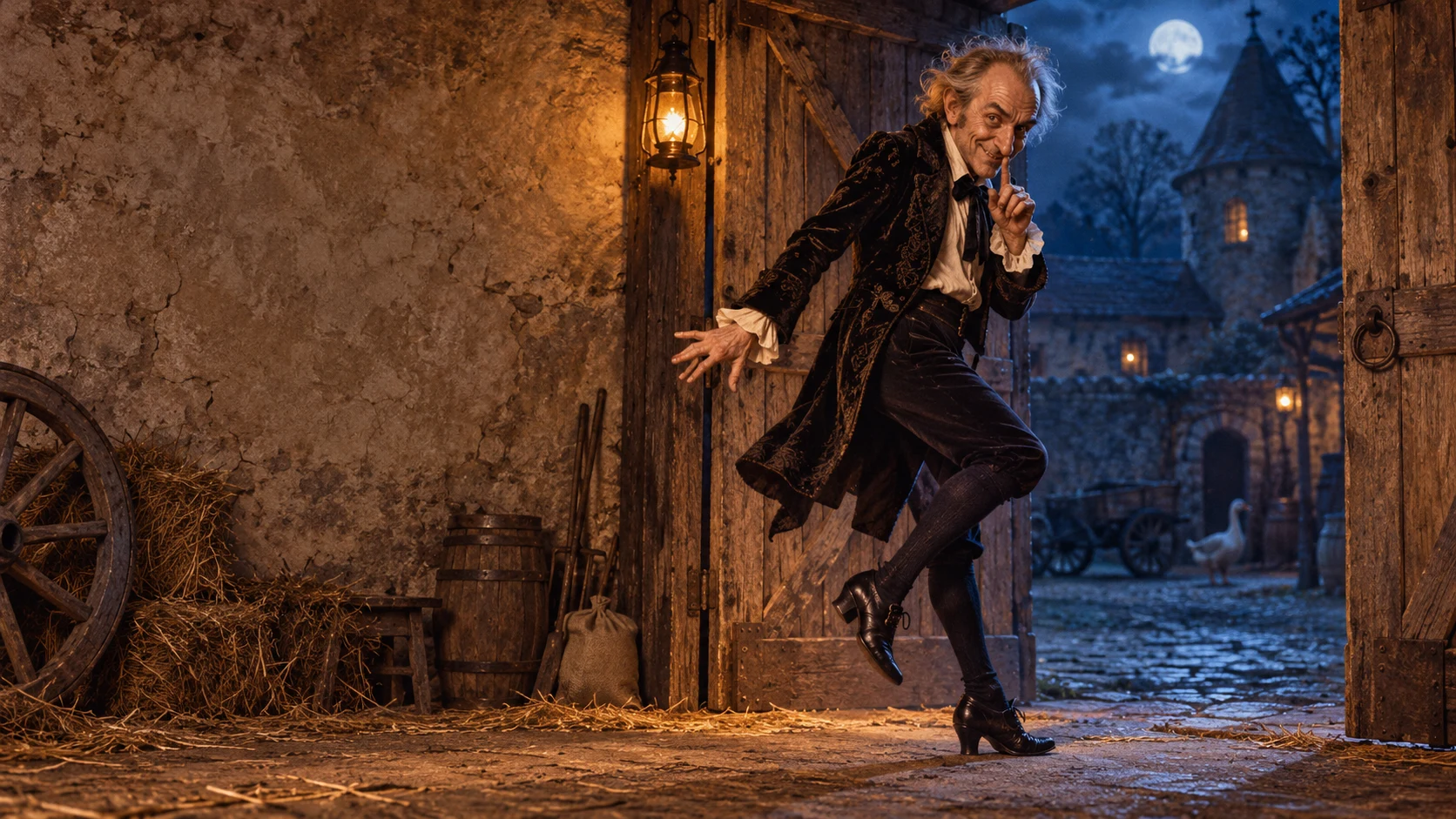
Make the joke readable before the viewer reads the caption. A mischievous face, an unmistakable shush and a wonderfully unnecessary tiptoe escape give a Rumpelstiltskin short a strong visual identity. Build around one of those moments, then make the rest of the post support it.
Rumpelstiltskin AI makes the casting choice direct: You dance or You and a friend. Its fixed photo-to-scene-to-video workflow is built around the hay-barn performance. Choose the identity photos that make the joke personal, then give the resulting clip a deliberate publishing edit.
This guide takes you from a scene idea to a finished post preview, with a clear job for the opening, the cover and the final caption.
1. Give the opening a clear job
Choose what the first moment should communicate: secrecy, overconfidence or being caught doing something ridiculous. Do not ask the audience to understand a long backstory before the character moves.
For a secretive scene, start with the performer already looking toward the camera. For an escape, establish the open doorway and the direction of travel. For exaggerated confidence, let the posture carry the joke. These are different openings; choose one decisively.
A useful planning sentence is: “The viewer sees the character about to do something, then watches the consequence.” For example: “The viewer sees the character pretending to be quiet, then watches an extravagantly obvious sideways escape.” That is enough story to guide the shot. Our 10-second storyboard guide turns that sentence into a practical sequence.
2. Build the source scene in the studio
Choose You dance for one supplied dancer identity. Choose You and a friend when the watcher should also resemble a person you choose; upload the dancer first and watcher second. Each photo should contain one clear face. Our photo-versus-text decision guide distinguishes this workflow from direct first-frame animation and text-led creation in other tools.
The product supplies the barn, costume and movement instructions through a fixed scene-preparation step followed by animation. It requests a portrait 9:16 composition and a 10-second, 768P video. There is no prompt editor, scene choice or aspect-ratio selector; judge the actual output before planning a final crop.
This gives casting and editing distinct, useful jobs. Rumpelstiltskin AI focuses on the chosen people within its prepared performance; a publishing editor supplies the final text, sound and presentation. If your idea requires a different setting or choreography, use an external tool with those controls.
3. Review the complete clip before designing the post
Watch at normal speed. Does the hand reach the intended gesture? Can you follow the feet? Does the closing glance feel like an ending? Check the face throughout the movement, not only on the opening still.
Then play the clip again with sound. Judge what is actually in the downloaded file before adding another track. The viral song is not something to assume the studio includes or licenses. Choose audio available for your intended use in the editor or platform you use to finish the post.
Do not hide a confusing action under a large caption. If the performance fails to communicate the idea, review the references and the result before deciding whether to retry or use another workflow. Our video-quality review guide gives you a compact way to decide what needs attention.
4. Make three publishing decisions separately
| Decision | What it must do | A practical choice |
|---|---|---|
| Opening frame | Introduce the situation | Show the face, the gesture and enough of the setting to understand the scene |
| Cover frame | Represent the post at a glance | Choose a crisp, expressive frame that still reads when shown small |
| On-screen text | Add the context the image cannot provide | Use one short line and keep it away from the face, hands and feet |
The strongest cover may occur halfway through the clip. Scrub for a clear expression and a readable pose. Avoid a blink, a blurred hand or an awkward transition. Preview the crop in the destination app: the profile view and full-screen playback may frame the same image differently.
TikTok's official editing guide describes adding text after upload and selecting a video frame as the cover. Meta's Reels editing overview describes arranging video, audio, stickers and text together. Use the controls available in your current app to check the complete presentation before posting.
5. Let the caption supply a second layer
The video shows the escape; the caption explains why it is funny. A line such as “Leaving the meeting I accidentally organized” adds a familiar situation without narrating every movement. A caption that merely says “He is tiptoeing” uses the space to repeat what the viewer already sees.
Keep the line short enough to read comfortably during the relevant moment. Position it against a quiet area of the frame, then watch the entire clip to make sure the moving character does not pass behind it. For more starting points, use our 24 original Rumpelstiltskin captions and rewrite one around your own scene.
This space is reserved for a verified output screenshot from our site. It is not a generated result preview.
Finish with a post you would choose to watch
Play the destination app's preview once without sound and once with sound. Confirm that the central joke survives both views, the important movement remains visible and the chosen cover honestly represents the clip. Clearly identify the work as AI-generated when presenting the synthetic scene.
Give the cast a clear purpose. Rumpelstiltskin AI keeps the starting choice focused: one dancer, or a dancer and a chosen watcher. Give the finished performance an equally deliberate cover and edit. Open the two-mode studio with one excellent idea, then make every publishing choice serve it.