
Photo-to-Video vs Text-to-Video for Rumpelstiltskin AI
Decide whether your Rumpelstiltskin video should begin with one reference image or an original written brief. Compare creative inputs, framing and preparation.
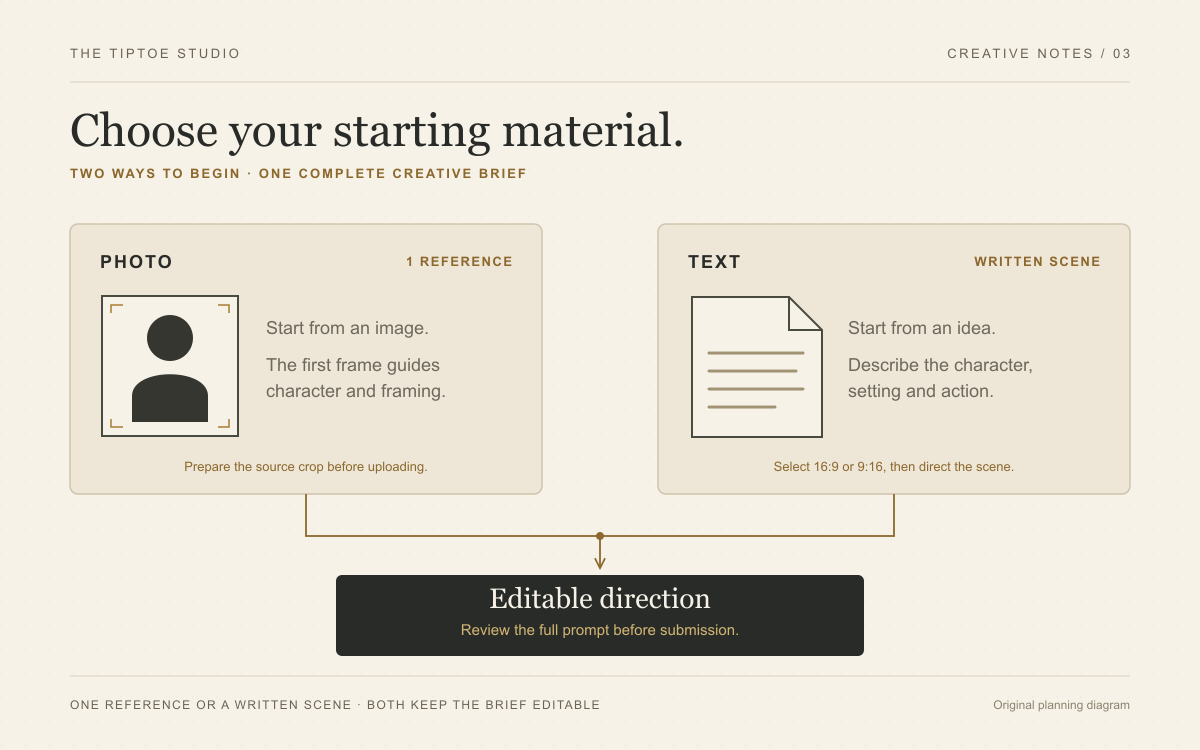
Start with the decision you have already made
Choose photo-to-video when you already have the image you want the scene to begin from. Choose text-to-video when the character, setting and opening composition still exist as an idea. This is the most useful distinction: one route begins with visible decisions, while the other begins with written ones.
These are general production routes, not two controls in our toolbar. Rumpelstiltskin AI offers You dance and You and a friend: upload one dancer photo, or a dancer photo followed by a watcher photo. A fixed process prepares the fantasy scene before requesting the video. Text-to-video and custom written briefs belong to other tools.
Follow this decision tree
Does a particular person define the idea? In our studio, choose You dance for that person as the dancer, or You and a friend when the watcher should also have a chosen identity. Use a clear individual photo for each role. Identity references are not the same as complete opening frames; the fixed scene-preparation step has a separate job.
Do you already have the exact scene you want to animate? Direct image-to-video in a compatible external tool can use it as a first frame. Check the body, feet and space for movement there. Our identity-photo workflow instead prepares a new barn scene, so do not assume it preserves your original room, costume or framing.
Is the idea primarily an invented character, new setting or different performance? Consider an external text-to-video tool with those controls. Define the subject, frame and action directly. Our fixed barn-dance workflow is a strong choice when casting is the central decision; it is not a text-only creation form.
| What you have | Start with | Your first useful action |
|---|---|---|
| One authorized identity photo for the dancer | You dance in our studio | Check the face; the fixed workflow prepares the scene. |
| A fictional character and a new scene in mind | An external text-to-video tool | Specify the character, composition and one main action. |
| A complete scene image that should remain the opening frame | An external direct image-to-video workflow | Check the body, crop and space for the planned motion. |
| Two separate people to cast independently | You and a friend in our studio | Upload the dancer first and the watcher second. |
Direct image-to-video: let the image do its share of the work
In a direct first-frame workflow, a reference image already describes the visible person, pose, clothing and surroundings. Use that information deliberately. A useful motion brief explains what happens next instead of contradicting every element in the opening image. This section describes that general method, not an editable prompt in our studio.
Suppose the image shows a standing character beside a doorway. Direct a brief shush, a small movement toward the doorway and a final glance. Asking that same figure to begin seated at a distant table introduces a conflict before the action has even started. Resolve it by changing the brief or selecting a different image.
Our studio separates identity photos from the prepared scene image used for animation. The solo and duo forms assign identities first; the scene step establishes the costume and setting. Exact likeness and movement still need inspection in the result. Our reference-photo guide explains the difference and how to prepare the role photos.
External text-to-video: make the missing decisions explicit
Text mode is an excellent route for a wholly invented performer. You can define the adult character's appearance, costume and starting position together, instead of adapting an existing photograph to an unrelated concept.
Write the essentials in order: who is present, where they stand, what they do and where the camera watches from. Choose one recognizable costume detail and one clear action. A carefully described coat and sideways step communicate more than a paragraph of competing personality traits.
In a tool that accepts a written brief, settle the scene before revising camera or movement details. Use the scene decision guide to compare atmospheres, then consult our prompt collection for external-tool examples. Those resources teach creative planning; they are not extra controls hidden in our casting form.
Put the framing decision in the right place
External generators may offer 16:9 or 9:16; check the selected tool before planning around a ratio control. A wide scene can give an exit somewhere to go, while a tall scene can emphasize a standing figure. Our aspect-ratio guide develops those composition and editing choices.
Our two casting modes use a fixed portrait 9:16 request. An identity photo can have a different crop because the scene is prepared before animation. There is no user ratio selector, and the returned file must still be checked for its actual dimensions and usable framing.
Both studio casting modes request 10 seconds at 768P. Choose between them according to whether you want one or two supplied identities, then inspect the completed performance. A shared request format is not evidence that the modes have identical reliability or that the automated pipeline has passed end-to-end testing.
Make one decision, then finish the brief
Use an identity photo when the person matters, a prepared scene when the opening image matters, and a written brief in an external tool when the scene still needs inventing. These choices solve different problems. Rumpelstiltskin AI keeps its own offer decisive: a dancer, an optional chosen watcher and a fixed barn-dance direction.
Before submission, check the role labels, reference photos, access status and displayed quote. Review the opening, dance and reaction when a result is available. A strong casting choice gives the whole scene a clearer purpose. Bring your one- or two-person idea to the studio.